Welcome to Service
The Service back office is where you run your venue: reservations, floor plan, guests, and settings. This page introduces the main sections to help you find your way.
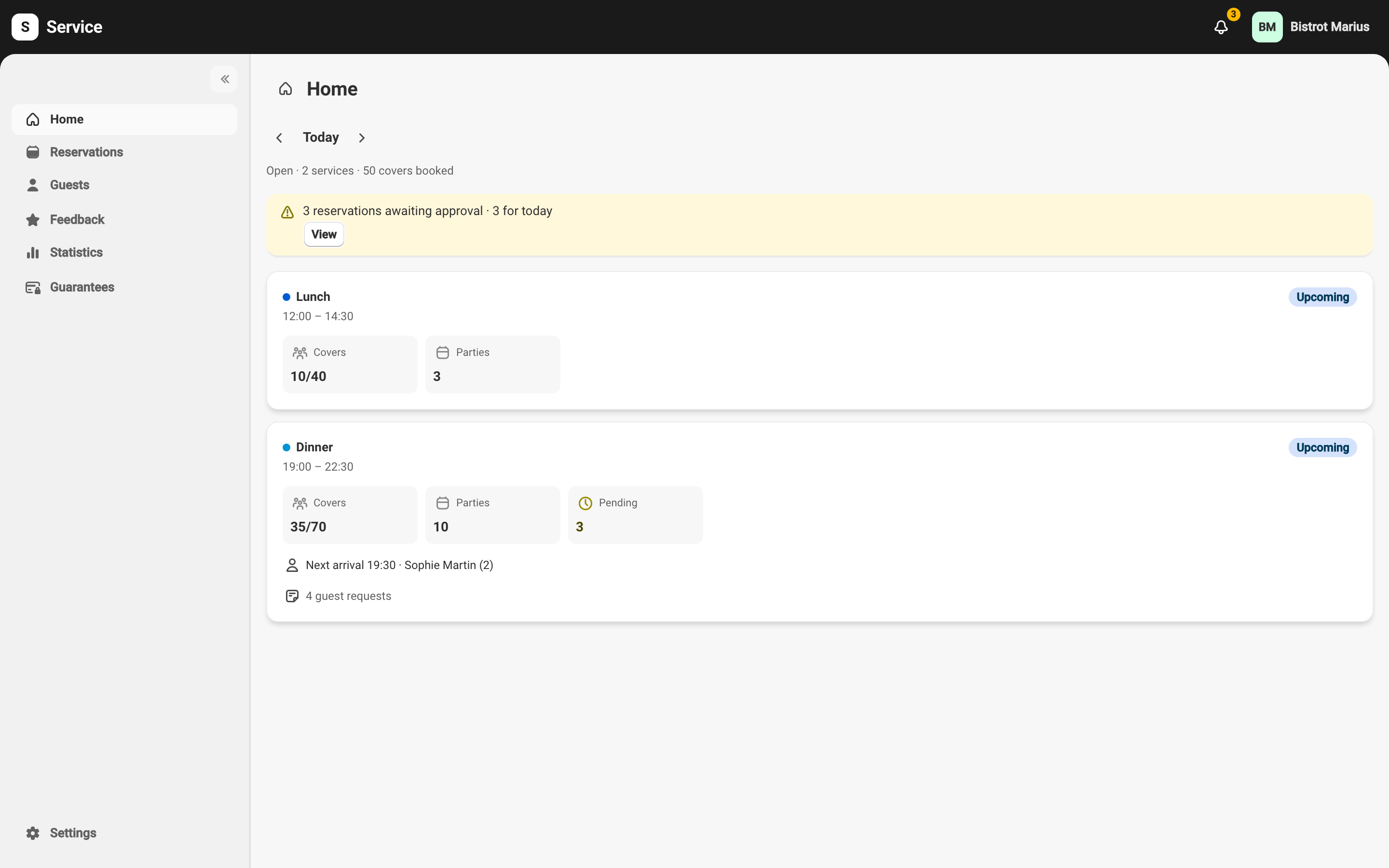
Navigation
Section titled “Navigation”The side menu gives access to the app’s main sections:
- Home — a summary of your current day.
- Reservations — the service view: every reservation for a day, on the floor plan, in a chronological view, or as a list.
- Guests — your guest list (contact details, visit history).
- Feedback — the reviews guests leave after their visit.
- Statistics — your venue’s activity, in numbers.
- Guarantees — the reservations covered by a card imprint or prepayment, with charging and refunding.
- Settings — the venue’s configuration: floor plan, tables, services, booking rules, users, and more.
Where to start
Section titled “Where to start”If you are new, we suggest this order:
- Check your floor plan and tables in the settings (see The floor plan and tables).
- Get familiar with reservation statuses.
- Practice creating a reservation from the day view.