Translatable content
Some of what your guests see is content you write: your service names, your widget messages, your section names. These fields are translatable — Service keeps one version per language you offer your guests.
This relies on having configured several languages and, for automatic translation, turned on AI — see Your guest content languages.
One field, several languages
Section titled “One field, several languages”As long as you offer a single language, a translatable field is an ordinary input. As soon as you offer several, a translate icon appears next to the field. You always type the primary language directly in the field; the icon opens the Manage translations dialog for the others.
The color of the icon sums up the field’s translation state: all present, one missing, or one to bring up to date.
The translation dialog
Section titled “The translation dialog”The Translate dialog shows the primary language, marked (source), then each other language in an editable field. Each translation carries a status:
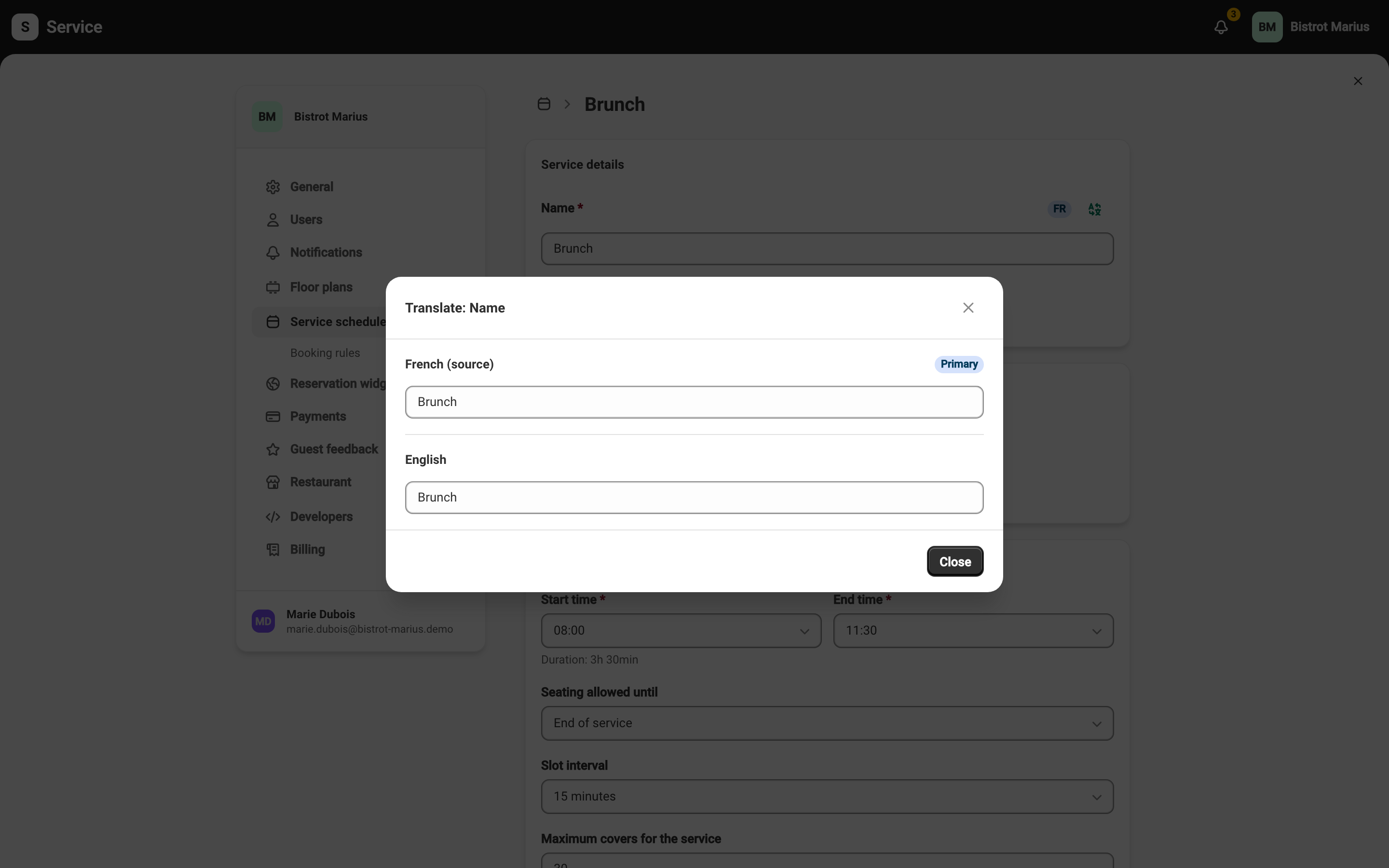
- AI translated — the translation was generated automatically.
- Manually edited — you corrected the translation by hand.
- Update pending — the source has changed since the last translation.
The Translate button fills one language from the source; Translate All fills them all. You can also write a translation yourself: it then becomes Manually edited. Your entries are saved automatically as you type; close the dialog with Close. Like the rest of the screen, the translations are only kept once you click Save in the save bar at the top of the page.
Automatic translation has a daily limit. Once it is reached, the Translation limit reached. Please try again tomorrow. message appears; type the translation by hand or come back the next day.
When a translation goes out of date
Section titled “When a translation goes out of date”Editing the primary language text marks its translations Update pending: they no longer match the source. Run the translation again or fix each language to clear that state. A manual edit is preserved when Service regenerates the AI translations.