Reservation history
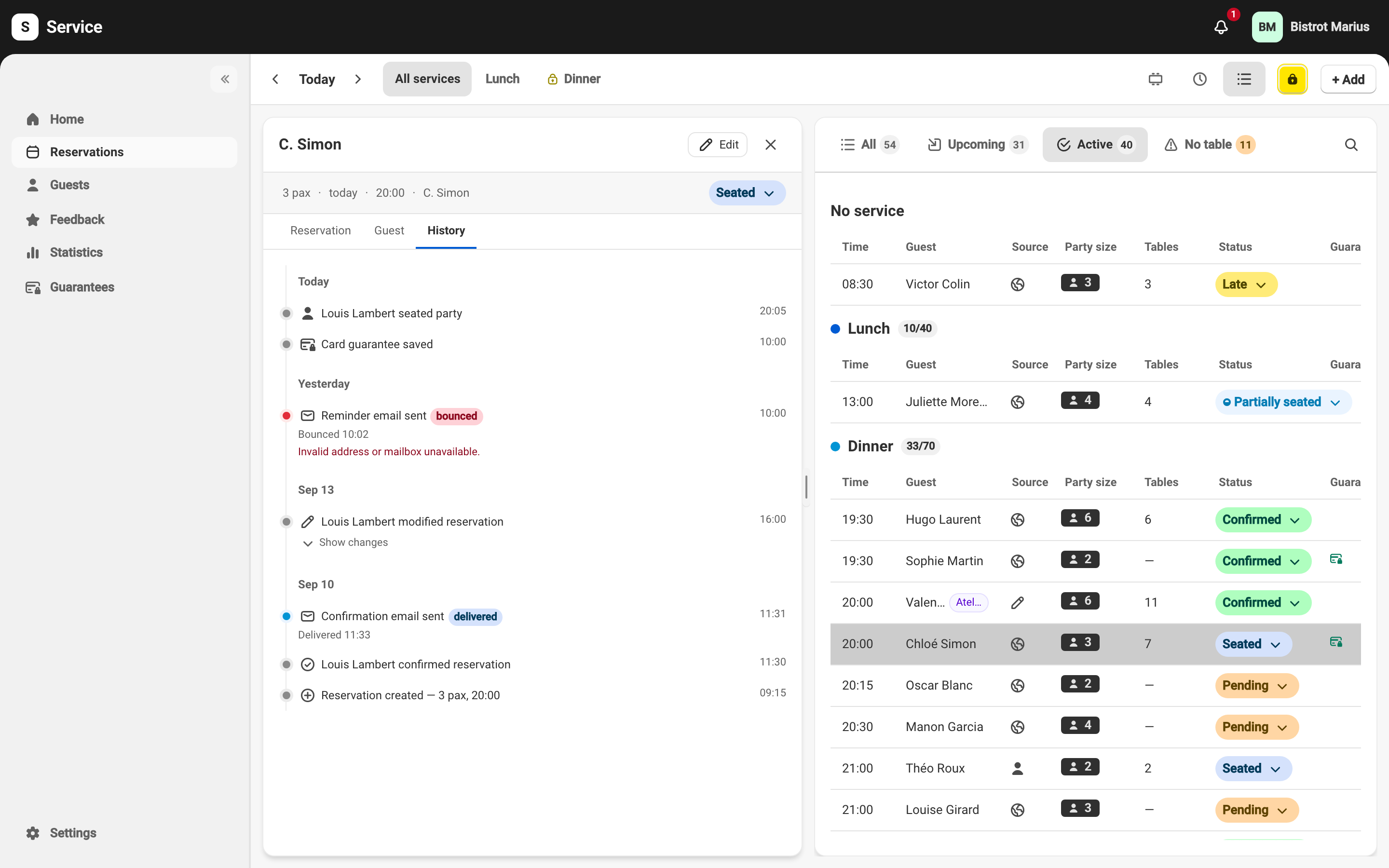
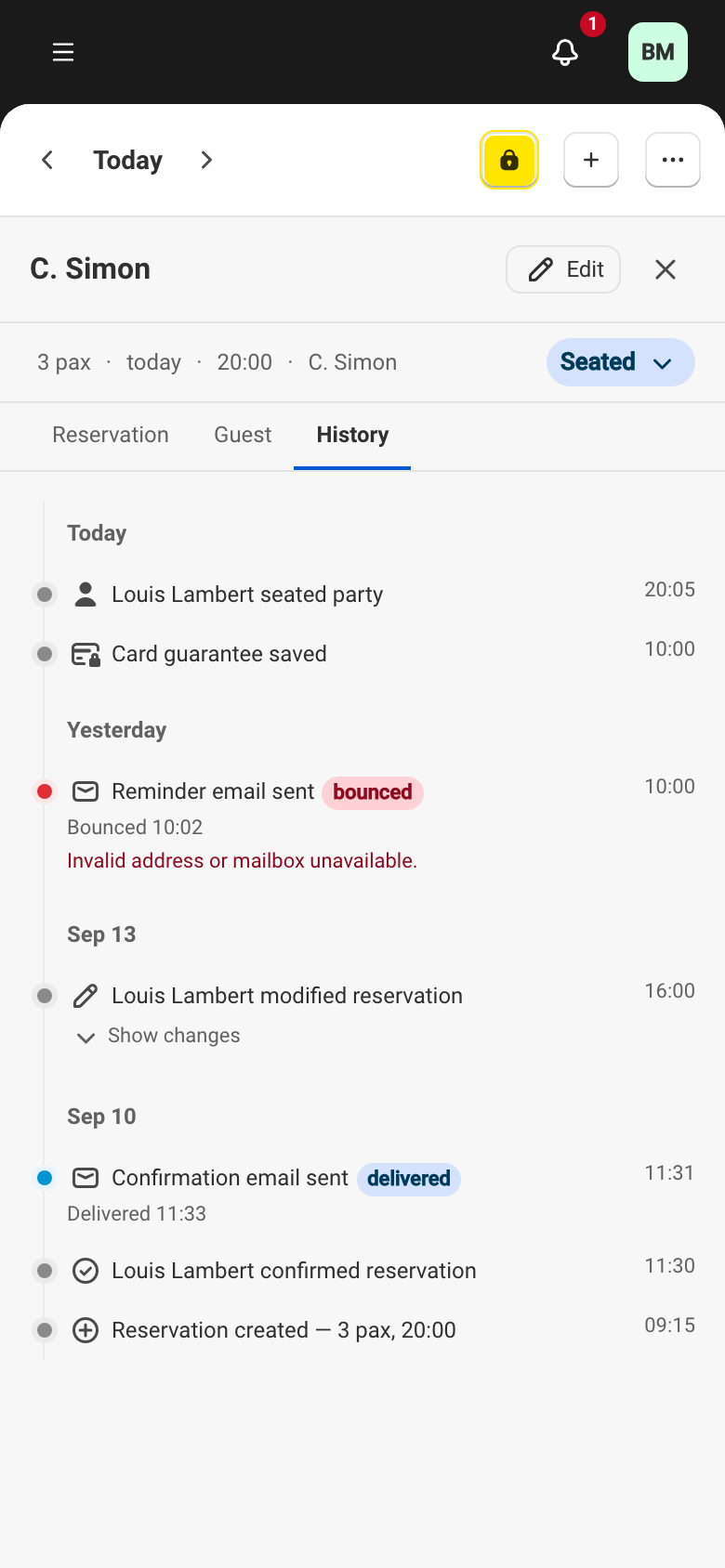
The History tab of the detail panel traces a reservation’s path. Each event — creation, confirmation, edit, seating, cancellation — appears with its author and timestamp. You open it from a reservation’s detail panel.
What the history records
Section titled “What the history records”Three families of events appear in the history.
The reservation’s life cycle — its creation, confirmation, edits, decline when a request is declined, table assignment and changes, seating (full or partial), the end of the meal, cancellation and no-show. An edit that needs your approval again appears as “Marie modified reservation — now needs confirmation”. Status changes match the reservation statuses. When your team saved without a contact detail your venue asks for, the created or modified line carries “No phone, confirmed by staff” — or “No email”, or “No phone or email” when both were missing. See Required contact details.
The messages sent to the guest — every email and SMS sent to the guest for this reservation: “Confirmation email sent”, “Request received email sent”, “Request declined email sent”, “Modification email sent”, “Cancellation email sent”, “Reminder email sent”, “Satisfaction survey sent”, “SMS sent”. A send that failed is marked “not sent” (for example “Confirmation email not sent”), so nothing passes silently.
Card guarantees — when the reservation has one: “Guarantee requested”, “Card guarantee saved”, “Payment reminder sent”, “Guarantee charged”, “Guarantee refunded”, “Guarantee released”, “Guarantee disputed”. See the Guarantees section for what each one means.
A message’s status
Section titled “A message’s status”Every email or SMS sent to the guest carries a status badge that tracks its delivery. The values differ slightly between the two channels: an email can be opened or flagged as spam, an SMS cannot. This is the reference for the statuses you see in the history.
For an email:
| Status | Meaning |
|---|---|
| sent | Accepted by the sending service, no delivery receipt yet. |
| delivered | Arrived in the guest’s inbox. |
| opened | The guest opened the email. |
| delayed | A temporary delay on the recipient’s side; the email may arrive later. |
| bounced | The address rejected the email. |
| spam | A previous email was marked as junk. |
| failed | The email could not be sent. |
| blocked | Sending was suspended for a reason tied to your subscription. |
For an SMS:
| Status | Meaning |
|---|---|
| sent | Accepted by the carrier, no delivery receipt yet. |
| delivered | Delivered to the guest’s phone. |
| delayed | A temporary delay; the SMS may arrive later. |
| undelivered | The carrier could not deliver the SMS. |
| failed | The SMS could not be sent. |
| blocked | Sending was suspended for a reason tied to your subscription. |
A failed send often carries a diagnostic line that gives the cause. To read these statuses in detail and fix a message the guest did not receive, see A guest didn’t get their email.
Reading a line
Section titled “Reading a line”Each line shows who acted and when. An edit lists the fields that changed: open Show changes to see each value before and after. A cancellation can carry a Reason. Events are grouped by day — Today, Yesterday — and several edits in a row are merged into one entry.
Who did what
Section titled “Who did what”The name shown is the team member who acted — for example “Marie confirmed the reservation”. When the author is not a person, the line is worded without a name: an automatic action by Service or an imported reservation shows “Reservation confirmed”, “Marked as no-show”. On a guarantee, the author is given the same way: “by a team member”, “by the guest” or “automatically”.