Reservation statuses
Every reservation carries a status that shows where it stands in its life cycle, from the initial request to the end of the meal. The status appears in the Status column of the list view and in a reservation’s detail panel.
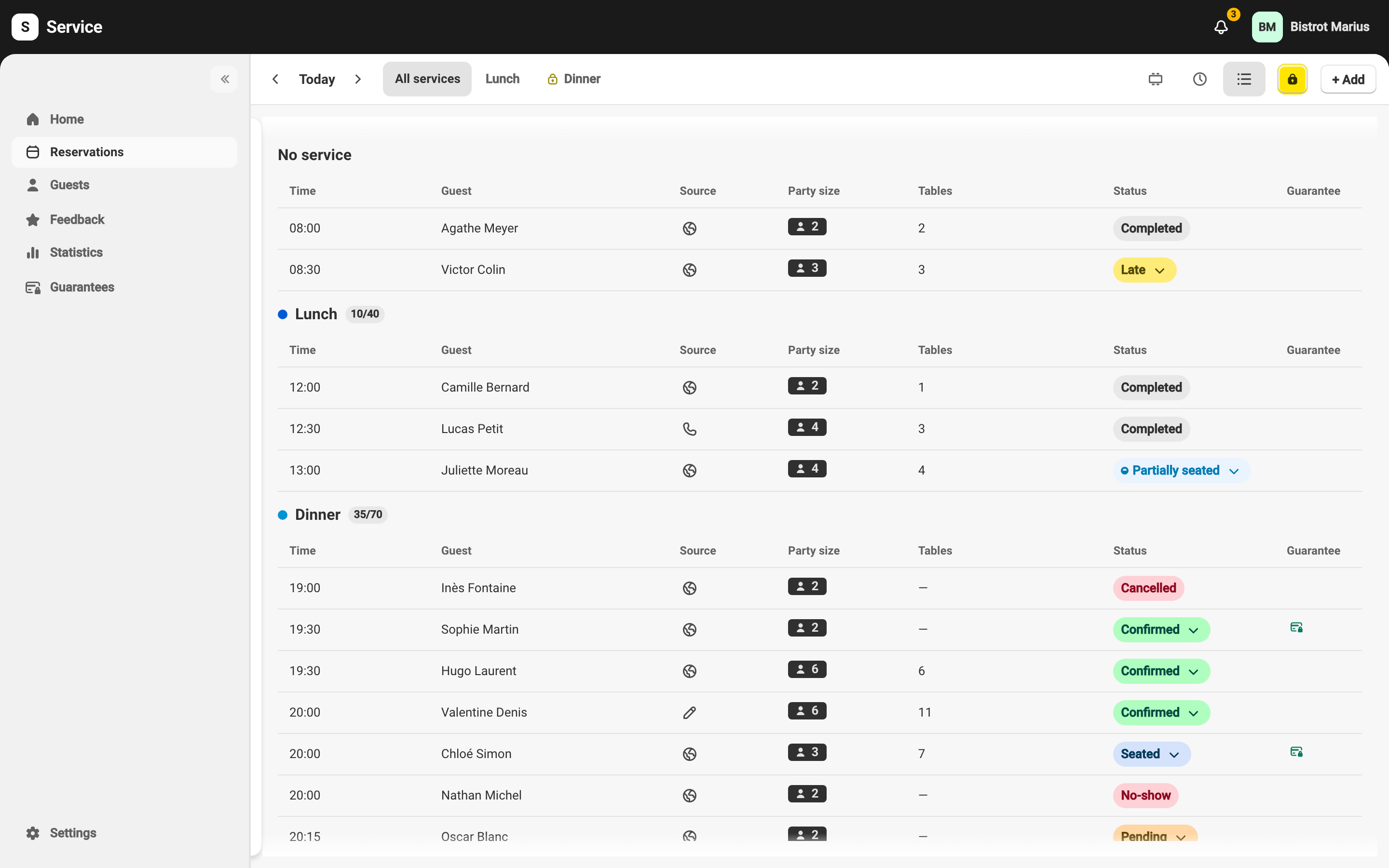
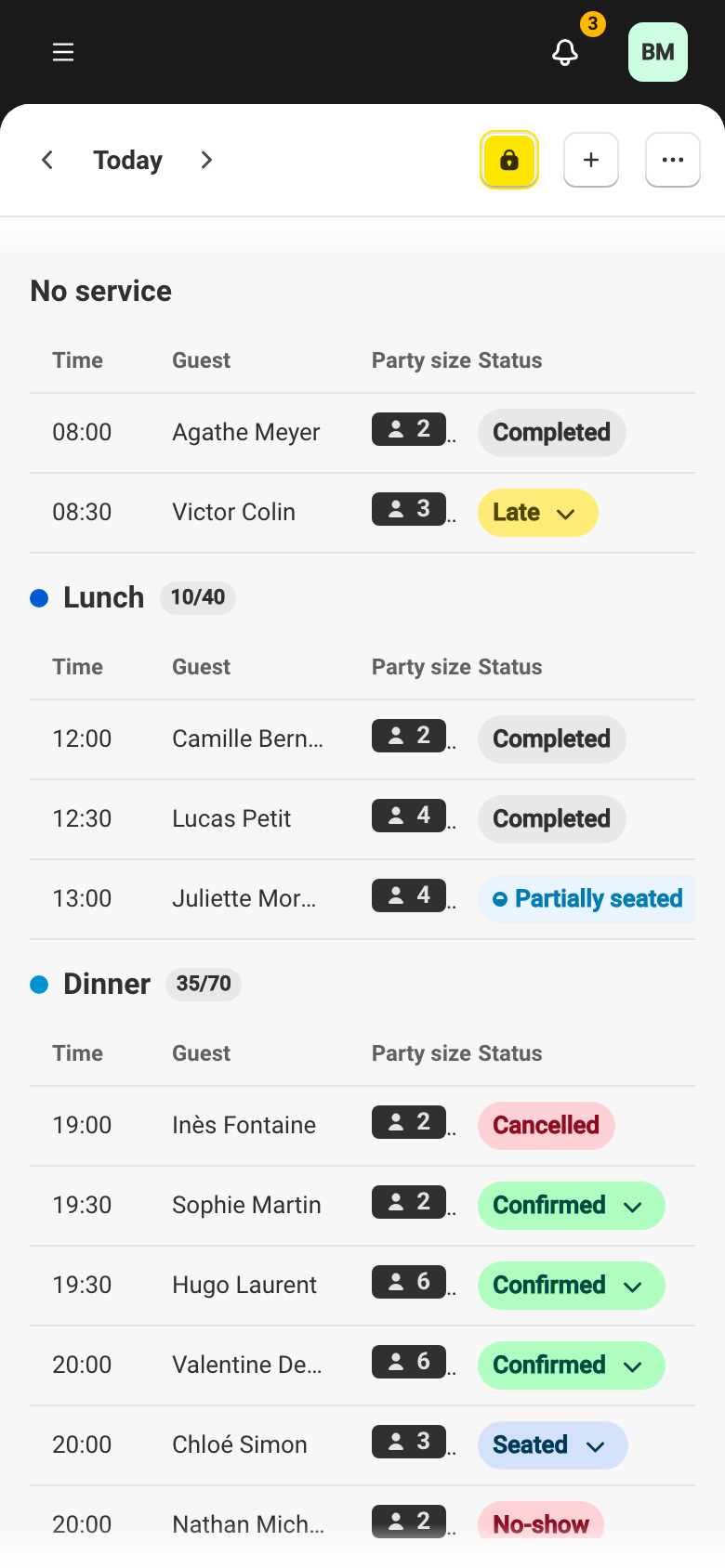
The statuses
Section titled “The statuses”| Badge | Status | Meaning |
|---|---|---|
 | Awaiting guarantee | The reservation is waiting for a card guarantee: the guest must save a card, via a link, before it is confirmed. Once the card is in place it becomes Confirmed; without a card within the time limit it is Cancelled automatically. |
 | Awaiting guest | The table is held for a guest promoted from the waitlist, on a service that asks them to confirm without a card. They confirm and it becomes Confirmed; they decline or let the deadline pass and it is Cancelled. See the table offer and how a guest confirms it. |
 | Held | A table held by a system you connected through the API, while a booking is completed on its side. The table is occupied. The system turns it into a reservation or gives it back; otherwise it expires. A table given back or expired becomes Cancelled. See API keys. |
 | Pending | The reservation is waiting for your approval. This status appears when manual confirmation is enabled: a request received through the widget is not confirmed yet. |
 | Confirmed | The reservation is validated and expected. This is the status of an upcoming reservation ready for service. |
 | Seated | The guest has arrived and been seated at their table. |
 | Partially seated | Only part of the party has been seated (useful for large tables arriving in stages). |
 | Late | The reservation time has passed without the guest being seated. |
 | Completed | The meal is over and the table is free. |
 | Cancelled | The reservation was cancelled (by you or by the guest). |
 | No-show | The guest did not show up. |
How a reservation moves between statuses
Section titled “How a reservation moves between statuses”The status badge is also a button. Click it, in a reservation’s card or in its detail panel, to open the list of available actions, grouped under Update status and Other. Only the transitions that are valid from the current status appear.
- Confirm — moves a Pending reservation to Confirmed.
- Seat — seats the guest and moves the reservation to Seated. For a large party, Partially seat seats part of the group (status Partially seated), and Seat all seats the rest.
- Complete — moves a Seated reservation to Completed and frees the table.
- No-show — marks the guest as No-show when they do not turn up. See Handle a no-show.
- Cancel — moves the reservation to Cancelled.
- Release the table — on a Held reservation, gives the table back now instead of waiting for it to expire. This cannot be undone.
What Service does automatically
Section titled “What Service does automatically”Most status changes are your team’s actions. Little is automatic, and it is worth knowing what is:
- Late is computed, not triggered. A Confirmed or Pending reservation whose start time passed more than five minutes ago is shown as Late. No status is written and the table stays held — it is a visual cue, nothing more.
- A guest who never turns up stays Confirmed. Service does not move a reservation to No-show or Completed for you. Until someone acts, it stays Confirmed (shown as Late); you choose between No-show and Cancel.
- A pending request is never confirmed or cancelled automatically. It waits for your decision, and the window to confirm it does eventually close — see Approving online bookings.
Notifications sent to the guest
Section titled “Notifications sent to the guest”At the key steps of a reservation, Service notifies the guest by email or SMS, depending on your settings. You choose which messages go out, and a Preview shows you each one before it is sent. The detail — the message types, the channels and the preview — is covered in your notification settings.
Marking a reservation Seated, Completed or No-show sends no notification. After the visit, Service can send a review invitation if the Feedback feature is on.