Approve or decline a booking request
When manual approval is on for a service, an online reservation is not confirmed straight away: it takes the Pending status and waits for your approval. Here is how to handle it.
Find the request
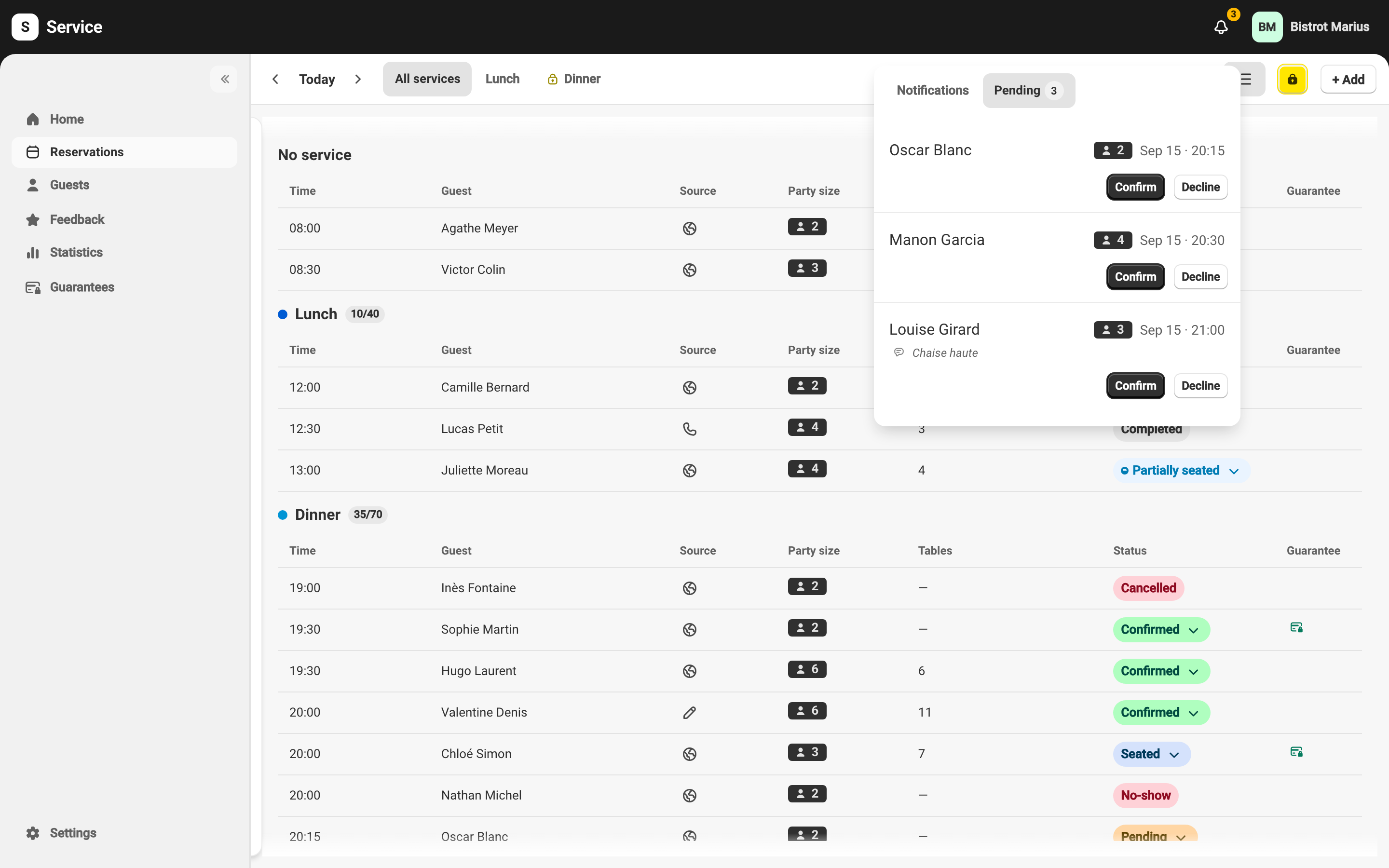
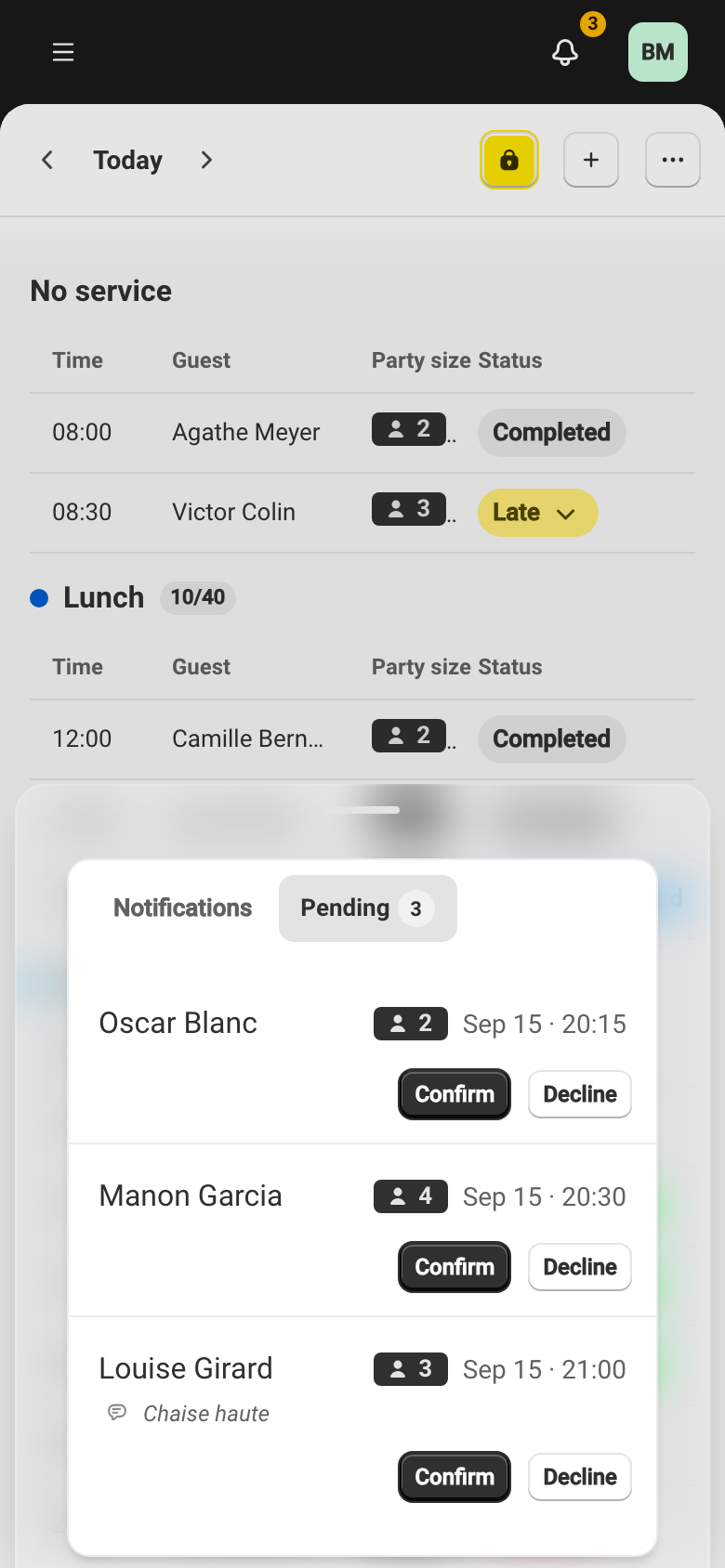
Section titled “Find the request”The requests to handle gather in the Pending tab of the notification center, which you open from the bell in the top right. A banner on the home screen flags them too.
Confirm or decline
Section titled “Confirm or decline”-
Open the bell, then the Pending tab.
-
Open the request to check it — the party size, the time, and the table offered.
-
Confirm with Confirm, or turn it down with Decline.